
The question it answers
How is a page doing in Google, and are AI crawlers fetching it too?
What it is
Connect Google Search Console and pull organic performance — clicks, impressions, average CTR and position, top queries and pages, and indexing status — right into the project dashboard, next to your Human/SEO/AEO analytics.
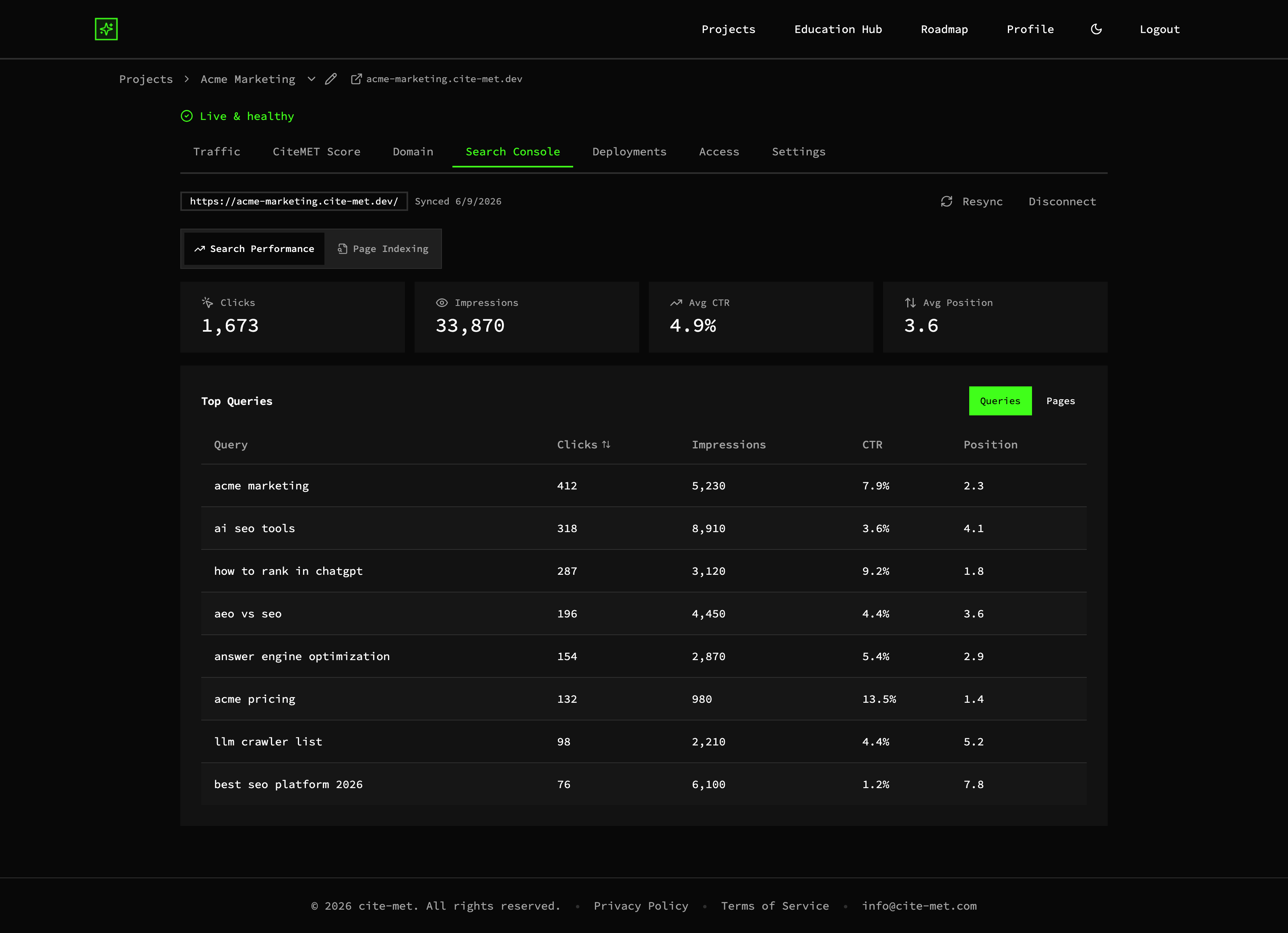
Search Console metrics — clicks, impressions, CTR, and position — inside the dashboard (example data)
Clicks, impressions, CTR, position
The core GSC metrics, in your project dashboard.
Top queries & pages
What Google surfaces you for, next to which pages AI crawlers fetch.
One source of truth
Search and AI performance side by side, not two tools.
A concrete example
In the example project, the Search Console tab shows 1,673 clicks and 33,870 impressions, with an average position of 3.6. The query "best seo platform 2026" had 6,100 impressions at an average position of 7.8 and a 1.2% click rate, while "how to rank in chatgpt" sat at position 1.8 with a 9.2% click rate. The Traffic tab's Top paths table then lists Human, SEO and AEO visits for each page, so you can check whether the page behind a query is also being fetched by AI crawlers. The figures are example data.
Why it matters
Your search story and your AI crawler story live together instead of in two tabs. You can see how a single piece of content performs in classic Google search and how often AI crawlers fetch it, and invest where both are moving.
More of the platform
CiteMET Score →
A live A+ to F grade for how readable your site is to search and AI crawlers, with a list of what to fix.
AI-Crawler (AEO) Analytics →
See which AI crawlers fetched which pages, next to human and search traffic.
AI Search Traffic Analytics →
People who arrive from AI answers, and the AI crawlers behind them, in one view.