
The question it answers
Can I put my own domain on the site without breaking my email?
What it is
Two paths to a custom domain. Managed DNS (recommended): delegate your nameservers and cite-met provisions the Cloudflare zone, imports your existing records with explicit safety rails around email (MX/SPF/DKIM), and manages apex, www, and certificates automatically. Manual: keep your DNS host and add the CNAME/TXT records yourself. Plus domain intelligence — registrar detection, “served by cite-met” verification, and soft-404 / redirect-chain checks.
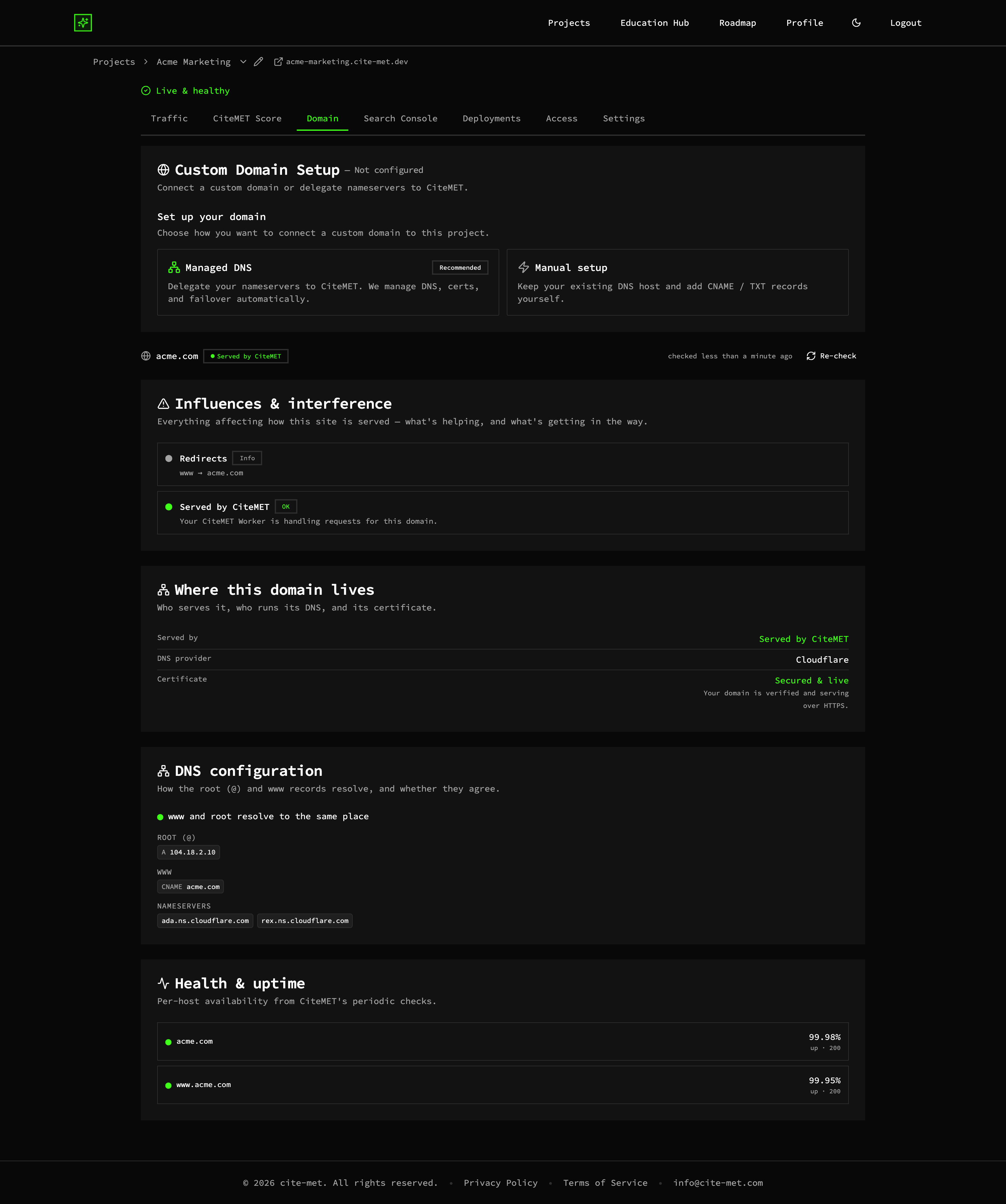
Domain setup screen with managed DNS and email safety rails (example data)
Email safety rails
MX/SPF/DKIM imported and protected so mail keeps flowing.
Managed certs & zone
Apex, www, and SSL handled automatically.
Domain intelligence
Registrar detection, verification, soft-404 and redirect checks.
A concrete example
Delegate your nameservers and cite-met imports your existing records, including MX, SPF and DKIM, before it changes anything, so mail keeps being delivered while the apex and www records and the certificate are set up. In the example project, the Domain tab then shows who serves acme.com (CiteMET), who runs its DNS (Cloudflare), whether the certificate is live, and whether www and the root domain resolve to the same place. If you would rather keep your DNS host, add the CNAME and TXT records yourself. The project is example data.
Why it matters
The number-one fear when changing nameservers is breaking email. cite-met imports and protects your MX/SPF/DKIM records explicitly, so you get a managed custom domain without the outage risk that stalls most hosting migrations.
More of the platform
CiteMET Score →
A live A+ to F grade for how readable your site is to search and AI crawlers, with a list of what to fix.
AI-Crawler (AEO) Analytics →
See which AI crawlers fetched which pages, next to human and search traffic.
AI Search Traffic Analytics →
People who arrive from AI answers, and the AI crawlers behind them, in one view.