
The question it answers
When a deploy fails, how do I see what happened and run it again?
What it is
We connect your GitHub repo and set up the build. When you're ready, you publish, and the deploy builds from your repo and goes to the global edge under a cite-met.dev subdomain or your custom domain. The deployment history lists each build with its status, the commit it shipped, who triggered it, how long it took and when, with its render logs one click away. Redeploy Now starts a fresh deploy whenever you want one.
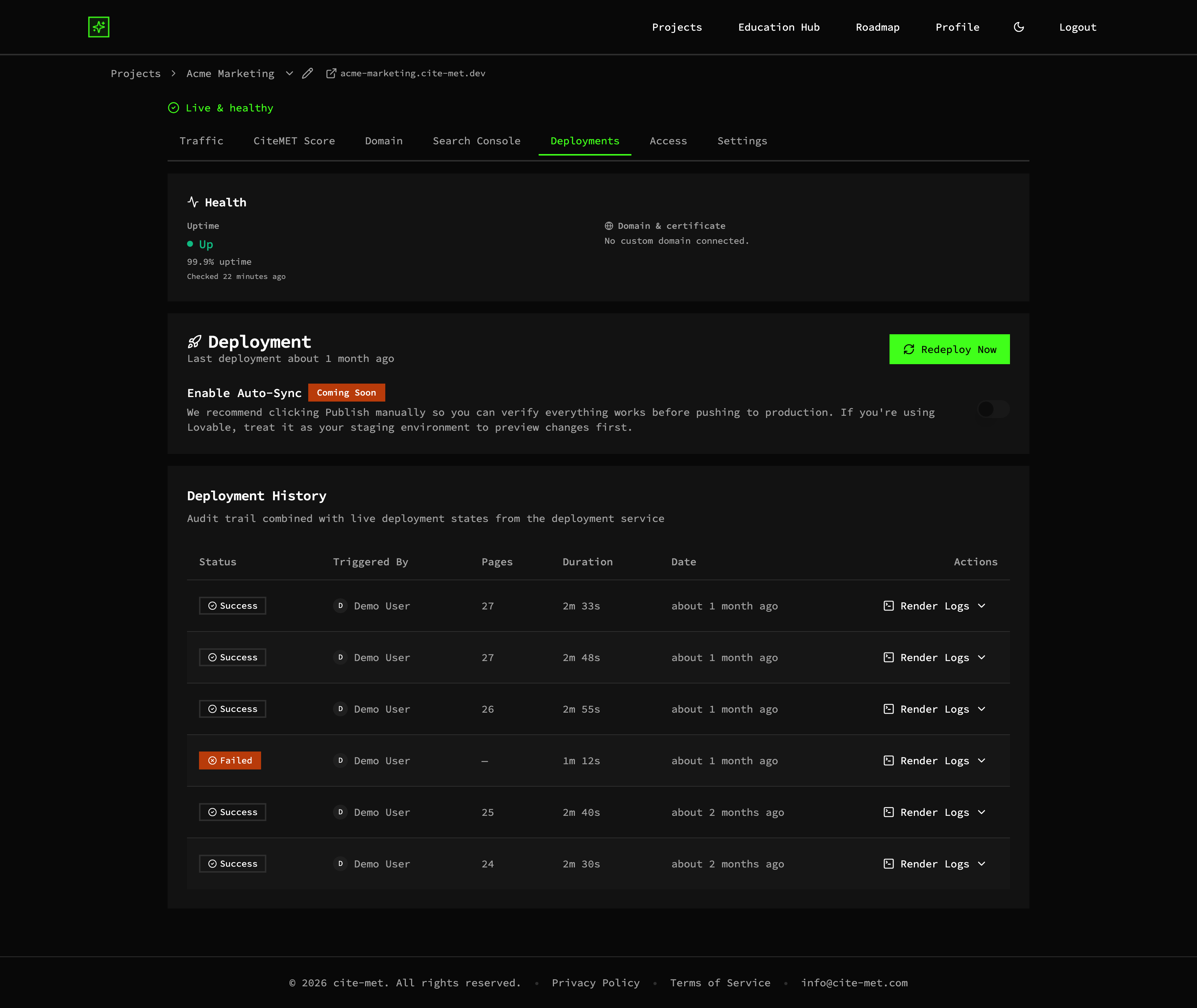
Deployment history with each build's status, who triggered it, duration, date and render logs, and a Redeploy Now button (example data)
You choose when to publish
We connect your repo and set up the build. Publish ships it to the edge when you're ready.
Redeploy in one click
Redeploy Now starts a fresh deploy from the Deployments tab.
Full audit trail
Status, the commit, who triggered it, duration and date for every deploy, with render logs.
A concrete example
In the example project, the deployment history lists six builds: five succeeded and one failed after 1 minute 12 seconds. Each row shows its status, who triggered it, how long it took and when, with its render logs on the same row. The Redeploy Now button sits at the top of the same page. The figures are example data.
Why it matters
Hosting and analytics in one place means your AI-visibility work and your delivery live together, and the traffic chart can mark your deploys. And when a build fails, the failed row and its render logs are right there in the history instead of in a scramble.
More of the platform
CiteMET Score →
A live A+ to F grade for how readable your site is to search and AI crawlers, with a list of what to fix.
AI-Crawler (AEO) Analytics →
See which AI crawlers fetched which pages, next to human and search traffic.
AI Search Traffic Analytics →
People who arrive from AI answers, and the AI crawlers behind them, in one view.